

ShockWatch 2 QR indicators provide visual confirmation and a digital data point of excessive g-force at the exact moment receiving teams need to make accept or reject decisions, turning subjective judgment calls into evidence-based protocols.
The visibility gap at hand-off points
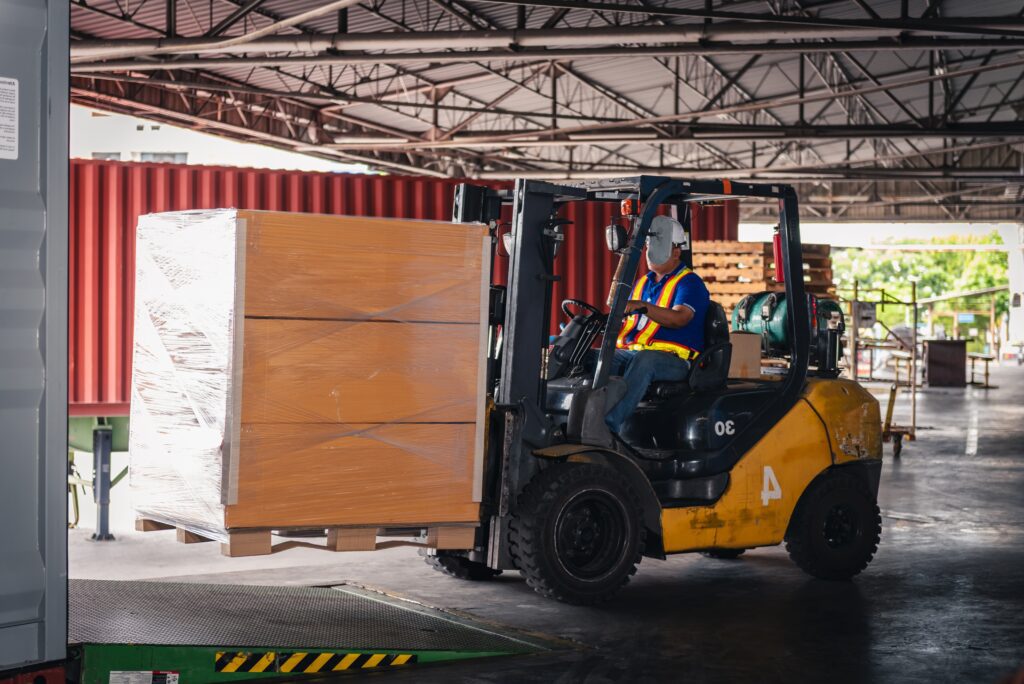
Impact damage rarely happens where people are watching. It occurs between the shipping dock and the receiving area, during unloading, cross-docking, or carrier transfers. A forklift collision, a dropped pallet, or a rough hand-off can compromise product integrity in seconds. Yet that damage often goes unnoticed until days or weeks later, when a customer reports a malfunction, quality teams uncover internal damage, or warranty claims arrive.
The challenge is timing. Impact events happen during transit, while decisions happen at receiving. Products change hands multiple times as they move through carriers, warehouses, and distribution centers, but the critical moment comes when receiving teams must decide whether to accept, reject, inspect, or release a shipment.
Standard packaging does not tell that story. External cartons can look completely intact while contents are damaged. Visual inspection catches obvious exterior damage, but it routinely misses internal failures caused by g-force that leave no visible trace.
Consider large-screen televisions shipping to a retail distribution center. The packaging arrives looking pristine, with no dents or tears. Without an objective trigger, receiving staff release the shipment to inventory. If a 50-100G impact occurred during transit, the screen may have stress cracks or control board damage that only appears after installation. What should have been a receiving decision becomes an expensive warranty investigation.
Why hand-off moments matter operationally
Supply chains are built on custody transfers, and every transfer shifts accountability. Products leave the shipping dock, move through carrier hubs, pass through cross-dock facilities, and arrive at customer locations. At each step, responsibility changes hands.
If damage occurs during a transfer and there is no record of when or where it happened, operations teams are left managing someone else’s handling error. Carrier agreements may define liability, but liability only matters when it is supported by evidence. Without documentation at the transfer point, accountability becomes a negotiation instead of a documented fact.
Receiving teams also need clear triggers to follow SOPs consistently. Instructions like inspect if the box looks damaged are subjective. What looks acceptable to one person may look questionable to another, creating inconsistency across shifts and facilities. Objective triggers replace judgment calls with repeatable actions.
Accept and reject decisions require evidence rather than guesswork. Rejecting a shipment without proof creates disputes. Accepting a damaged shipment without documentation often means absorbing the cost of repair or replacement. Operations teams need defensible decisions that hold up when carriers ask for proof.
How ShockWatch 2 QR indicators work at decision points
ShockWatch 2 QR indicators attach to the outside of shipments and show whether an impact exceeded a defined threshold, right when receiving teams need to know.
Each indicator starts white. If an impact exceeds its g-force rating, which ranges from 5G to 75G depending on product sensitivity, the field turns red. The change is permanent and immediately visible. Red means the threshold was exceeded. White means it was not.
The QR functionality adds documentation without adding complexity. When scanned with any smartphone, the system captures the indicator status, an image of the indicator, GPS location, and date and time. That information is transmitted to the SpotSee Cloud automatically, with no additional hardware or system integration required.
Setup is simple. Packing staff activate the indicator by peeling the backing and applying the indicator to the bottom corner of the package. The process takes seconds. Because the indicator is single use, there is no calibration, maintenance, or retrieval to manage.
The indicator works independently. No power source, network connection, or configuration is required. Even if no one scans the QR code, the visual red or white status still communicates whether an impact occurred. Scanning adds traceability, but the core function works either way.
At each hand-off, the process fits existing workflows. Teams check the indicator, scan if required, and follow the SOP based on the result. The indicator stays with the shipment, and every scan adds to the audit trail.

Practical application across industries
While impact sensitivity varies by product type, the operational challenge at hand-off points remains the same. Damage may not be visible at delivery, but the decision still has to be made.
Mechanical parts and industrial components
Mechanical components such as bearings, motors, gearboxes, pumps, and machined parts often appear durable, yet impacts during handling can introduce hidden damage. A dropped crate may cause bearing misalignment, hairline cracks, or housing stress that leads to premature failure after installation.
In a typical scenario, organizations apply ShockWatch 2 QR indicators rated between 15G and 37G based on component mass and sensitivity. Receiving teams scan indicators during incoming inspection. Red indicators trigger dimensional checks, visual inspection, or non-destructive testing before components enter production or service.
Mirrors and glass products
Architectural glass, decorative mirrors, and specialty glass products ship in protective crates but remain vulnerable to edge damage or stress fractures caused by drops or external impact that leave external packaging intact.
Teams may apply ShockWatch 2 QR 25G or 50G indicators to crate exteriors. Upon receipt, fabricators or installers scan the indicator. A red indicator prompts immediate unpacking and inspection before products move to staging or installation.
Televisions and large-screen displays
Large-screen televisions and commercial displays ship with protective foam and corner guards, yet rough handling during unloading can crack screens or damage control boards. External cartons may show no visible damage even when internal components are compromised.
Organizations typically apply ShockWatch 2 QR indicators in the 50G to 100G range. Distribution centers and delivery teams scan indicators at receipt, and red/bad read indicators trigger inspection before units are released to inventory or delivered to customers.
Consumer goods and appliances
Appliances and premium furniture items are packaged for normal handling conditions but impacts during warehouse transfers or last-mile delivery can damage compressors, control panels, hinges, or finishes.
In a hypothetical deployment, teams apply ShockWatch 2 QR indicators rated from 75G to 100G depending on product mass and internal sensitivity. Indicators are scanned before unloading or installation, and red results prompt inspection and documentation before customer acceptance.
How indicators complement existing systems
ShockWatch 2 QR indicators do not replace protective packaging. They serve a different operational purpose.
Protective packaging addresses expected transit conditions. Indicators provide immediate pass or fail confirmation at the moment receiving teams must decide how to proceed. Used together, these tools deliver more complete visibility.
Receiving SOPs already define inspection steps and documentation requirements. Indicators provide a clear, objective trigger to execute those SOPs consistently, which is especially valuable in high-volume environments.
As shipments move through multiple carriers and hand-off points, accountability becomes complex. Indicators create a shared reference point. Every scan produces a timestamped, geolocated record that helps identify where custody changed and where an impact likely occurred.
Integration into receiving procedures
Implementing ShockWatch 2 QR indicators requires minimal procedural changes, and many organizations integrate them within weeks.
The first step is matching the indicator rating to product sensitivity using engineering data, packaging tests, warranty claims, or field failure analysis. When limits are not documented, product category provides a practical starting point. Consumer electronics often align with 75G to 100G. Furniture and durable goods use 25G to 50G. Heavy industrial components typically require 5G to 25G.
Piloting multiple ratings is key. If indicators trigger frequently without damage, the rating may be too sensitive. If damage is found without a trigger, the rating may be too high.
Packing SOPs are updated to include indicator application after final. Indicators are placed on a clean, visible exterior surface, typically the lower corner of the carton.
Receiving SOPs need only a few additions. Teams check indicator status, scan the QR code, and follow a decision tree based on the result. QR records automatically capture time, location, and indicator images, supporting investigations, carrier claims, trend analysis, and audit documentation.
Next steps
For supply chains with multiple hand-offs, a focused pilot is often the best place to start.
Walk through the receiving process and ask practical questions. How are accept or reject decisions made today. What evidence supports them. Where are the blind spots where damage slips through undetected.
Request sample indicators in two to three g-force ratings aligned with product categories. Apply them to 10 to 20 pilot shipments. Have receiving teams use them as they would in daily operations and track the results.
Use pilot data to refine g-rating selection and finalize integration details before scaling. Contact SpotSee to request sample indicators and access the product selection guide.
—
You might also like:
– Real-time impact monitoring: Protecting power generation assets with ShockLog Cellular GL
– Protecting fragile equipment starts with accountability. Here’s how ShockWatch impact indicators deliver both


